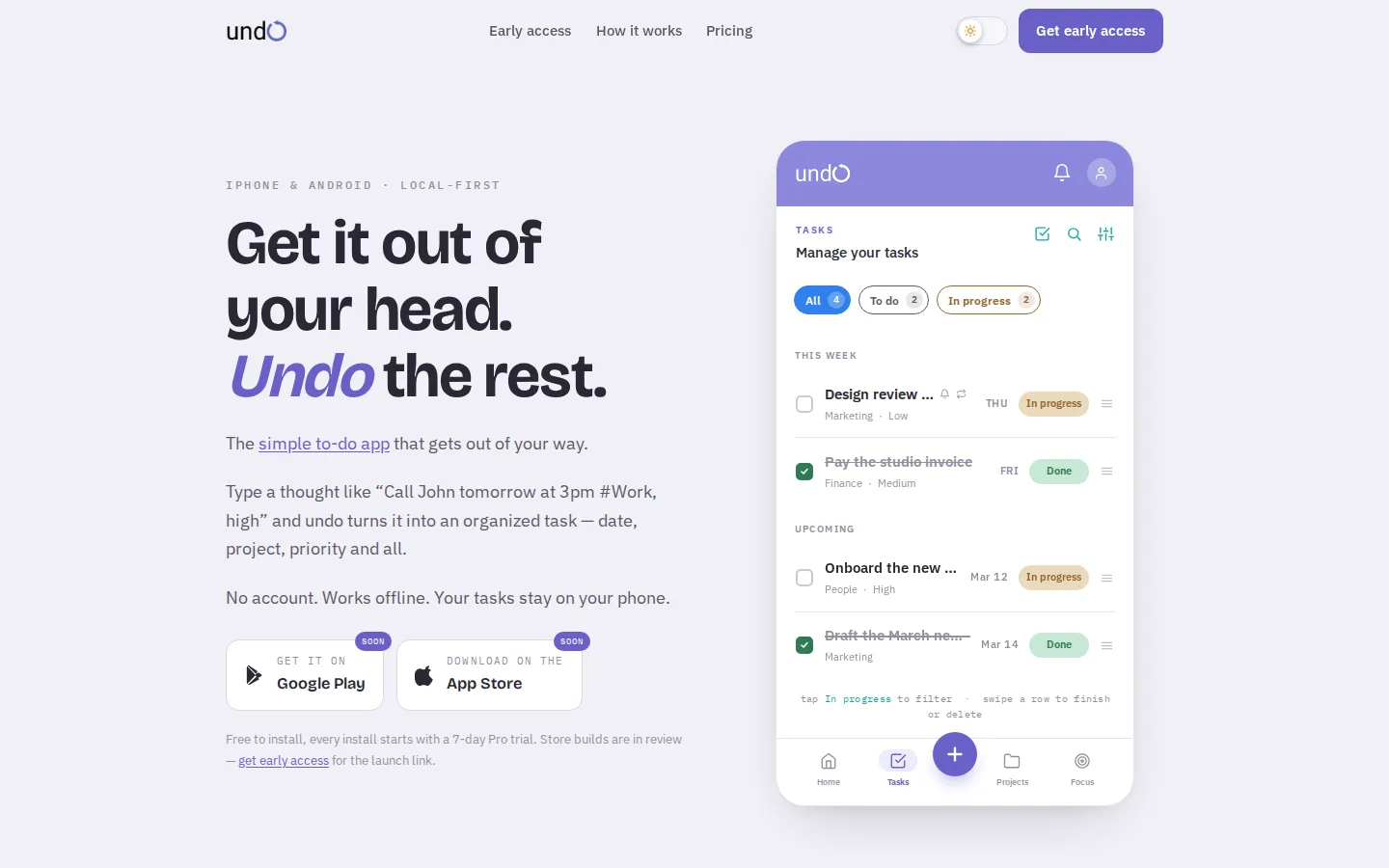
theundo is a to-do app for iPhone and Android built around one move: type a thought the way you'd say it out loud, and get back an organized task — no account, no setup screen, no friction between having the thought and capturing it. I designed and built it myself, from the original concept and interface through to the production app.
01 — The idea
Most to-do apps make you do setup work before you can capture a single thought — pick a project, set a due date, choose a priority, sometimes create an account, before you've written anything down. By the time the task is configured, the thought that made you open the app has usually moved on.
That gap between having a thought and losing it to app friction was the actual problem I wanted to solve. Not a to-do app with more features — one that gets out of the way. That's the idea theundo started from, and the one every later decision got checked against.
02 — Product thinking
Deciding what theundo should do mattered less than deciding what it shouldn't. Every optional field, every extra screen between opening the app and capturing a task, was a reason someone wouldn't use it in the moment they needed to.
- No account required — the app is fully usable from the very first open.
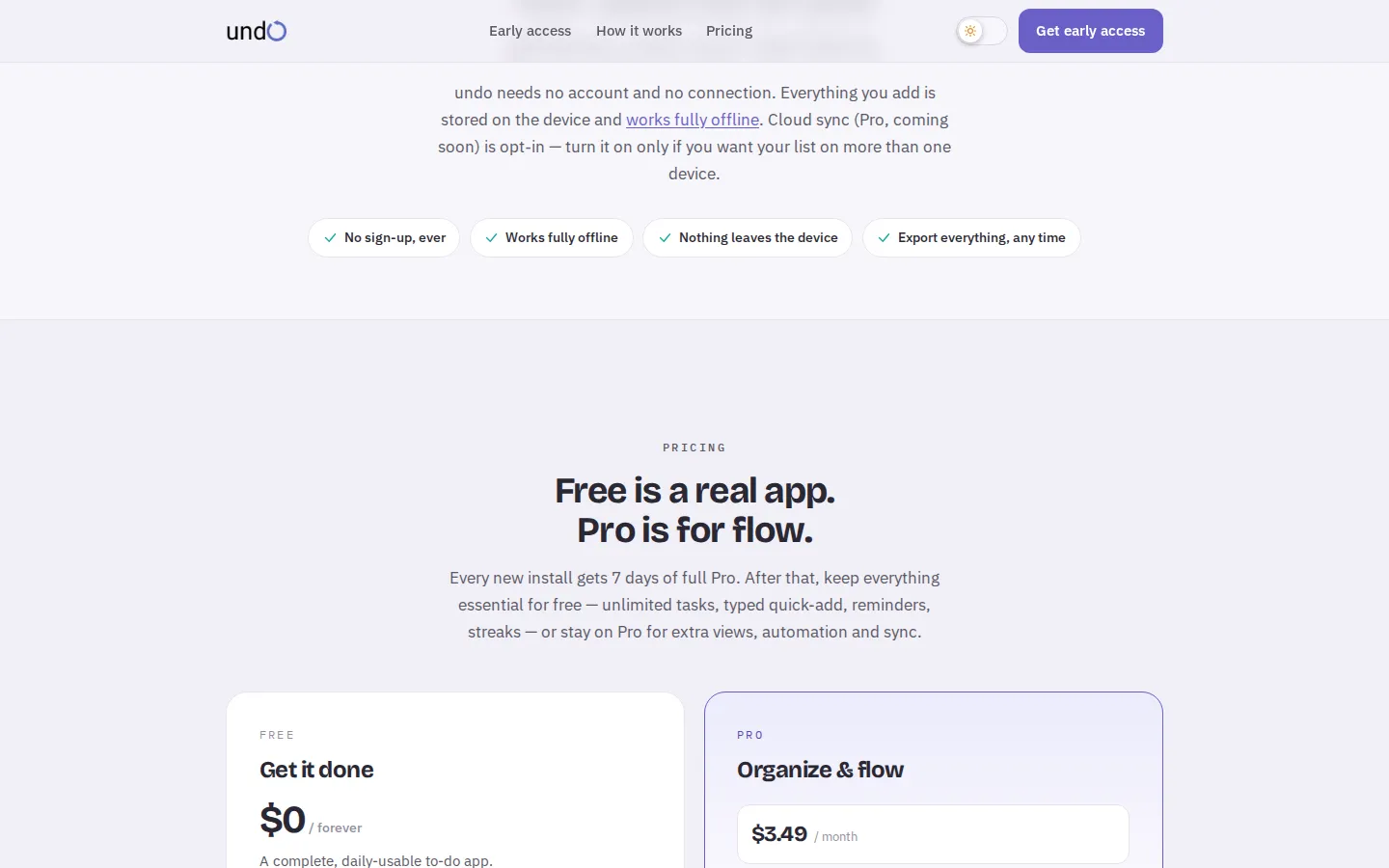
- Everything is stored on-device and works completely offline; there's nothing to lose if you're not connected.
- An opt-in Pro sync layer exists for people who want the same list across multiple devices, but it's additive — never a requirement to use the app at all.
That same filter shaped the business model. The free tier had to be a genuinely complete app — unlimited tasks, quick-add, reminders, streaks — not a crippled trial designed to push an upgrade. Pro is scoped around power-user flow instead: voice quick-add, Calendar/Kanban views, multi-device sync, and automation. Every install starts with a 7-day full-Pro trial, so the upgrade is a decision people make after feeling the difference, not before.
03 — Design
I designed theundo's interface myself, from early concept through the interaction details — the quick-add flow, the task list states, the Calendar and Kanban views, down to how a completed task looks mid-swipe. The engineering in this project follows the interface decisions, not the other way around.
Below is a set of early Figma screens from theundo's concept phase — before the current branding and interaction details were locked in. The final UI is shown throughout this page; the rest of the design record will fill in here over time.
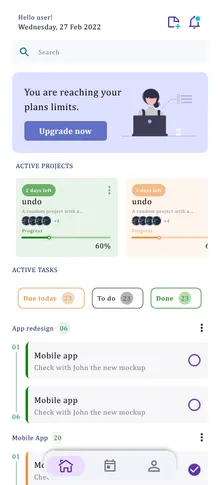
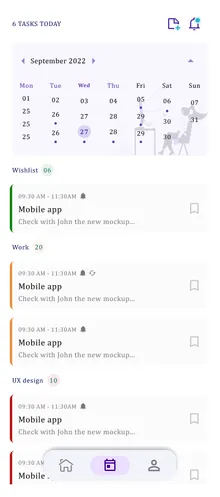
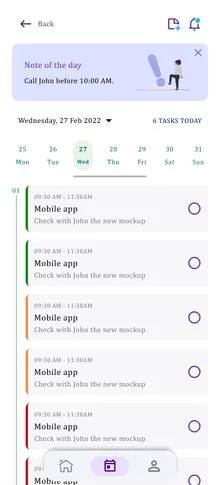
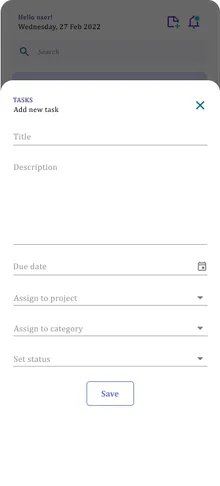
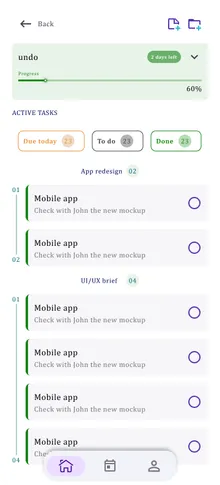
Early Figma concept screens — theundo, initial exploration phase
Note on this case study
04 — Engineering
The core interaction is a natural-language quick-add: type "Call John tomorrow at 3pm #Work, high" and theundo parses the date, project, and priority out of the sentence and files it correctly — no manual field-filling required. Designing that parser meant being forgiving of how people actually phrase things, and having it fail safely: if a field can't be extracted with confidence, it's left for the user to set rather than guessed and silently wrong.
Tasks, Calendar, Kanban, and the home dashboard all read from the same underlying task store, so completing something in one view updates every other view immediately. There's no separate sync step between screens, because there's nothing to keep in sync locally — it's the same state, rendered differently. That single-source-of-truth model is also what makes the offline guarantee possible: there's no "local cache of a server" to fall out of step with — the device is the source of truth, and Pro sync is layered on top of it rather than replacing it.
05 — From Figma to production
I designed the interface and then translated the product system into reusable production components — the same task card, status pill, and priority tag show up identically across Tasks, Calendar, and Kanban because they're the same components, not three separate implementations that happen to look alike.
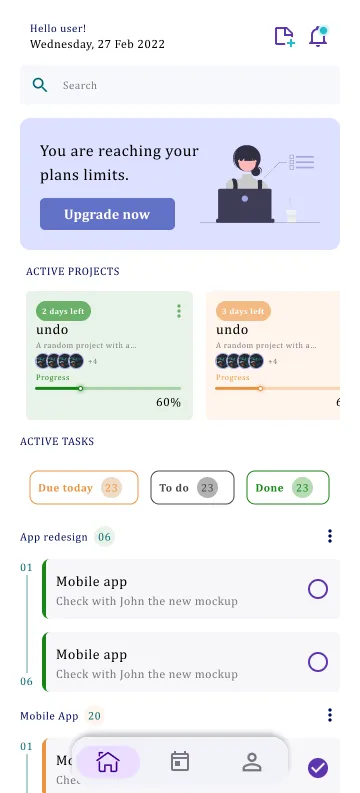
Figma — early concept
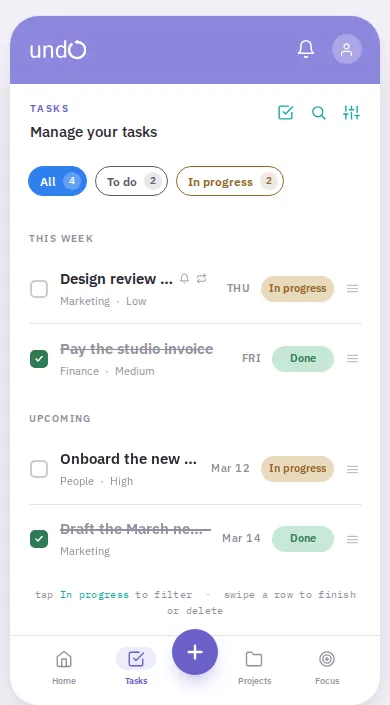
Production — theundo.app
The concept and the shipped product don't look alike — the layout, palette, and information density all changed as the interface got simpler. That's the point of this section: showing the distance between an early idea and what actually ships, not a pixel-for-pixel handoff.
06 — Iteration
This is where I'll break down what changed after real usage — onboarding tweaks, flows that got simplified, features that got cut after testing. theundo is early enough that there isn't a real before/after to show yet; I'll fill this section in as that feedback comes in rather than write it in advance.
07 — Result
theundo is live at theundo.app, with iOS and Android builds in review. I designed, built, and continue to maintain the whole product — concept, interface, architecture, and the quick-add parser — from idea to production.